Documentation
Your first session
Connect a project, describe a change, and inspect the result.
Before you start: invitation and account access
Sign in with your invitation before opening Project or Settings links. Connect GitHub in Connections for private repositories. You can compare capacity plans before signing in.
Open your invitation
Use your private invitation link to sign in with an available provider.
Connect your accounts
Connect a coding-agent provider in Settings. Connect GitHub if you need access to private repositories. Provider usage and charges are separate from Rondar.
Add a project
Choose a GitHub repository, enter a repository URL, or start from scratch. Wait for project setup to finish before creating a session.
 Request access →
Start a session
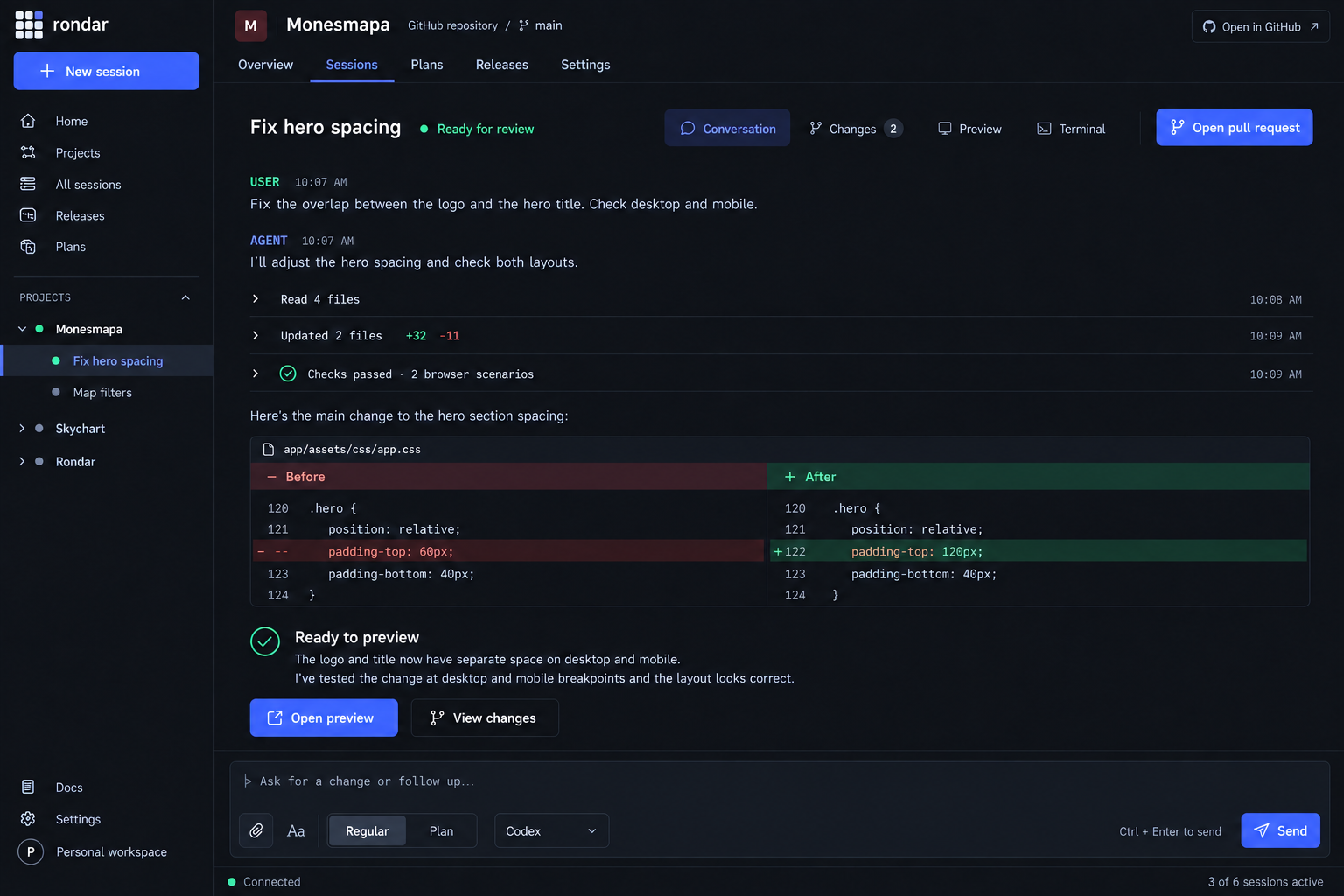
Choose a ready project, describe one reviewable change, and start a session. You can answer questions and follow up in the same conversation.
Check the result
Inspect the conversation, changed files, checks, and any pull request. Open Preview when browser verification is useful.